TraininGo brings together your set timer, routines, meal plan and habits, and puts artificial intelligence to work across all of them: it designs your training week and menus, counts the calories on your plate from a photo and creates recipes from what you have. Everything is stored on your phone and the essentials work offline.
Use Google on Android and iOS, or Apple on iPhone. If you already used TraininGo, your profile is restored.
02
Tell it about you
Your body, your goal (lose, maintain or gain weight) and your nutrition preferences. That sets your reference calories and macros.
03
Build your plan
Create routines and assign them to weekdays, or let the AI Coach generate weekly routines and menus tailored to you.
04
Train and adjust
Each day loads the right routine. Log meals, water and fasts, and follow your progress and streak in Analytics.
Artificial intelligence
AI works with you at every step
TraininGo uses AI models for the jobs that take you the most time: designing your plan, working out what you eat and deciding what to cook. What it generates is not just an answer: it goes straight into your routines and meal plan, where the timer, reminders and analytics take over.
AI Coach · PRO
Designs your plan
Generates your weekly routine and your menus for one day or the week separately, in your language, and lets you tweak them with a short request before adopting them.
Photo estimator
Reads your plate
One photo is enough to estimate the calories and macros of every item on the plate, with a health tip.
Recipe generator
Cooks with what you have
Recipes with steps and macros from your ingredients, goal, meal type, favourite cuisine and calorie cap.
Your week
Everything connected
AI plans and recipes join your week with one tap, and what you log feeds your analytics and the Coach recommendations.
AI features need a connection. On FREE, the photo estimator and recipes unlock by watching an ad; the AI Coach is PRO-only.
Features
Everything TraininGo does
Five tabs: Nutrition, Analytics, Workout, AI Coach and Profile. Here is what you will find in each one.
Workout
A timer that never loses the beat
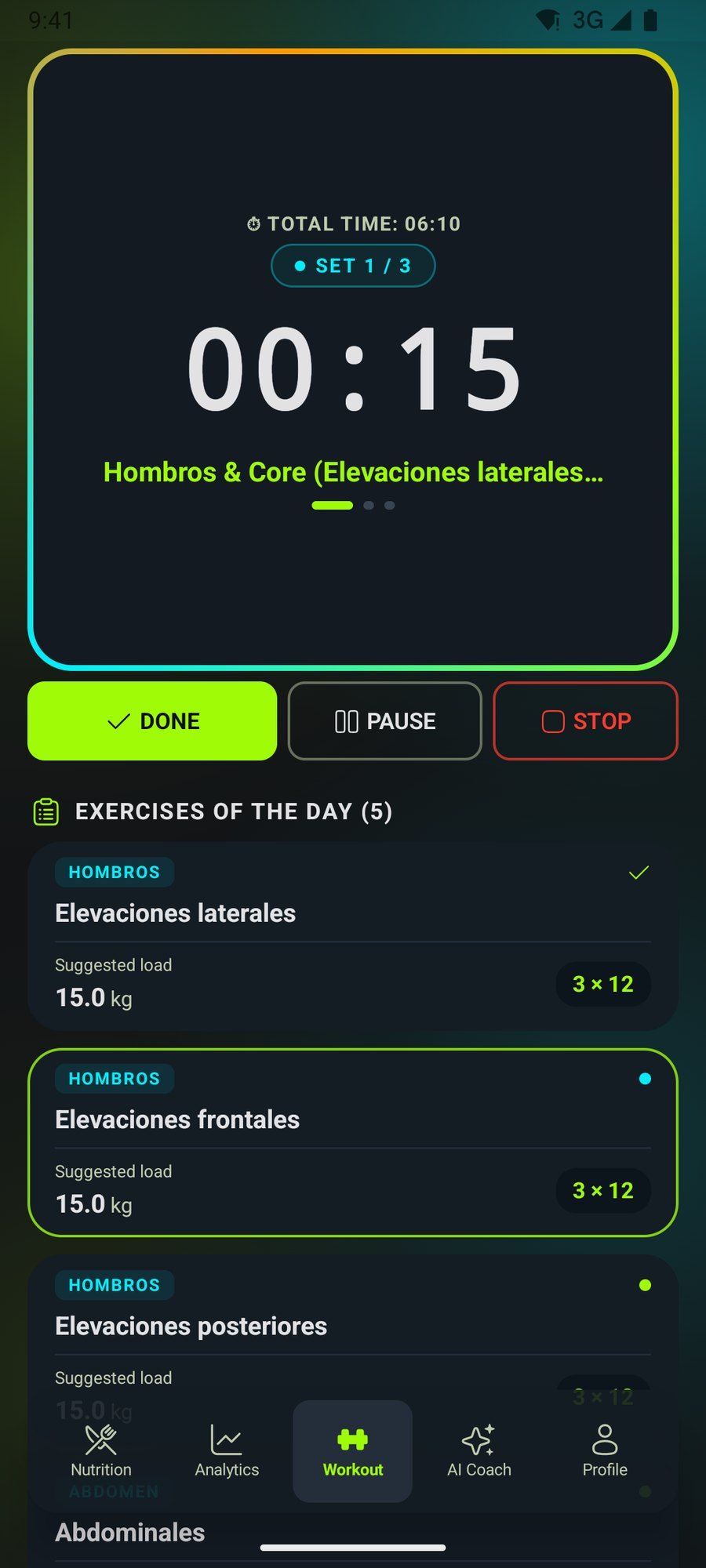
Tap “Let's train” and TraininGo guides you set by set: work time, short and long rests, and the next set always in view.
Keeps counting with the screen off or the app in the background
Voice narration (female, male or system voice), haptics and 5, 10 or 15-second countdown beeps
Unilateral exercises with per-side timing
Resume or restart a session you left unfinished
Routines
Your week, loaded automatically
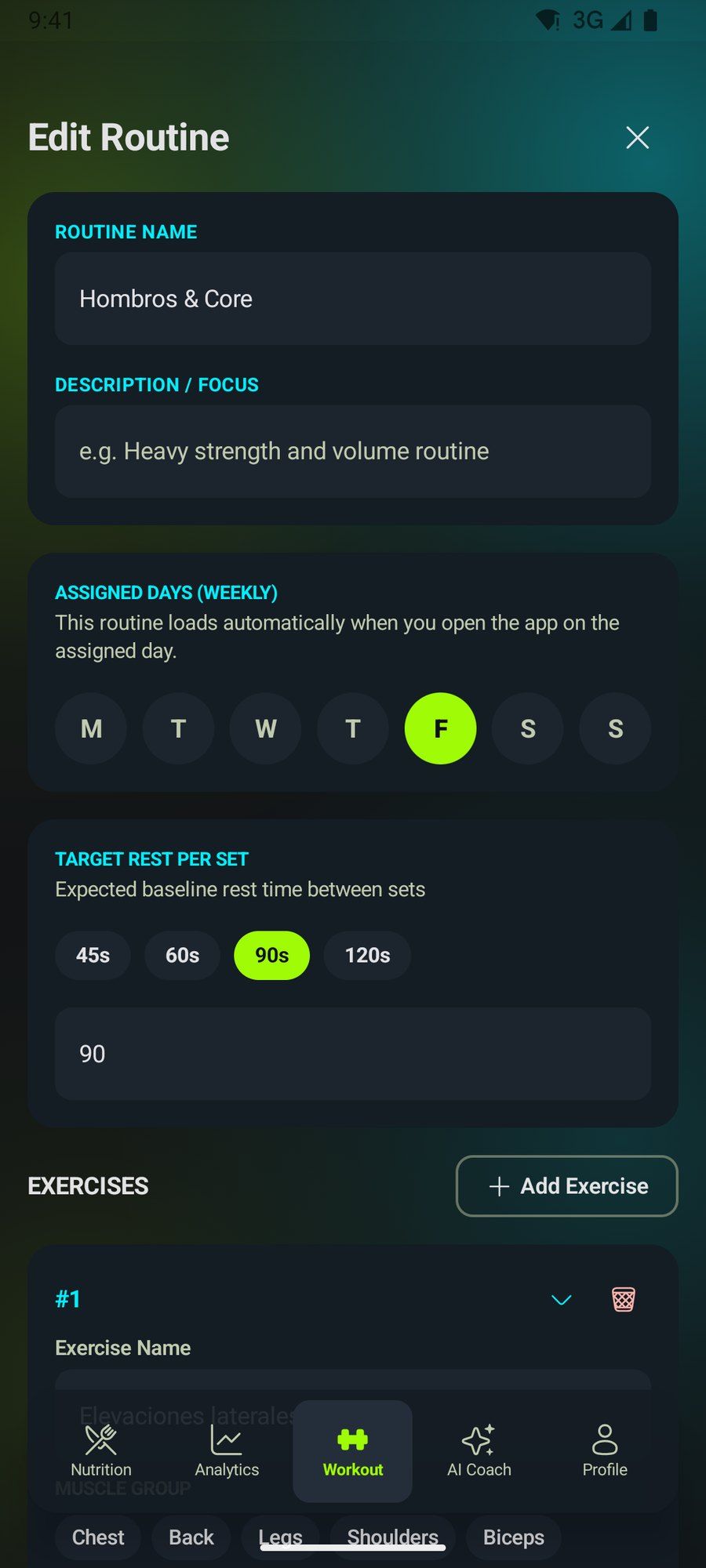
Build routines with sets, reps, weight, rests and muscle group, and assign them to weekdays. When you open the app, today's routine is ready.
Manual routine and exercise builder
Weekday assignment
Suggested load and details for every exercise
Exercise guide
See how every exercise is done
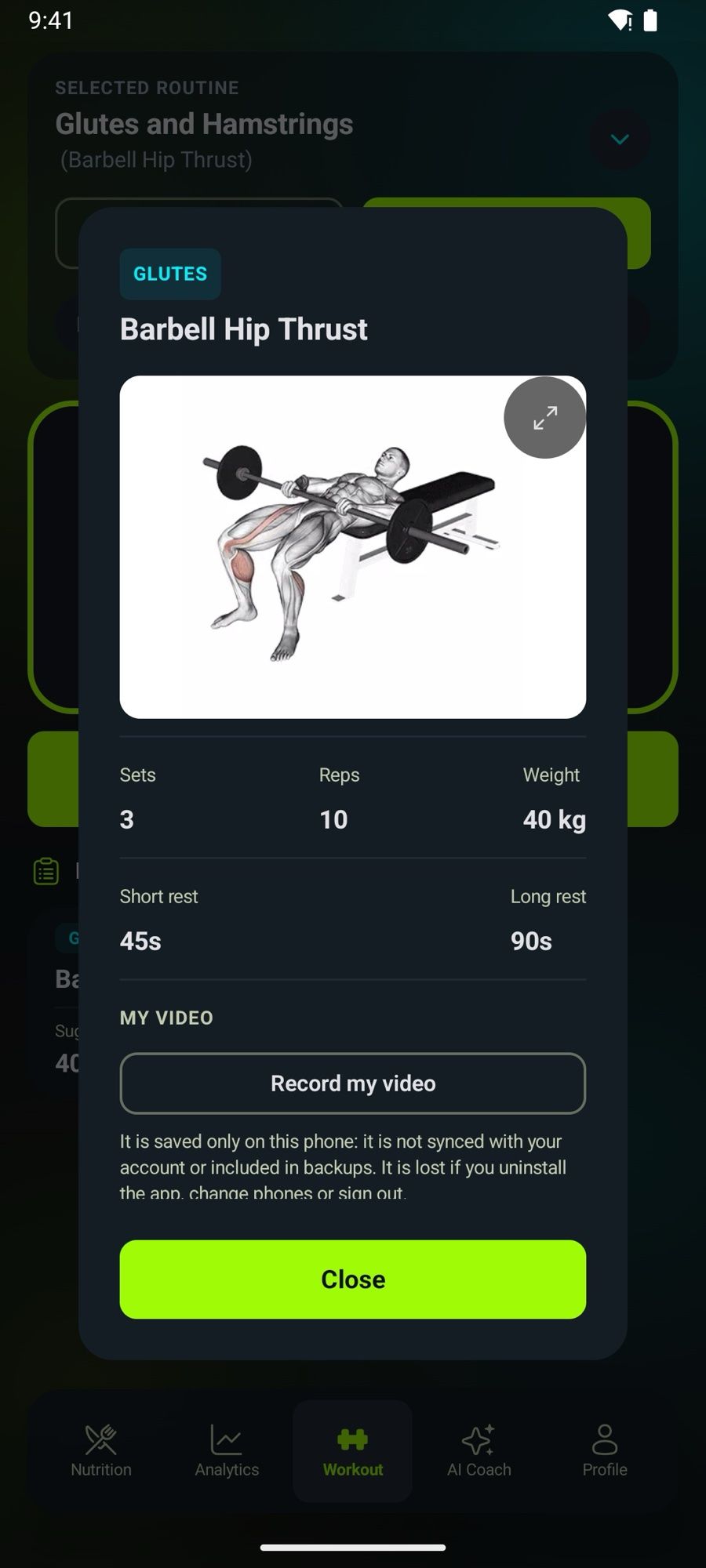
Tap «Show exercise» on any exercise linked to the catalogue to see a video of the technique, the muscles it works, the equipment and the steps, in your language.
Exercise catalogue with video and description in English, Spanish and Portuguese
Expand the video to full screen to see every detail
Pick catalogue exercises when you build your routines
Exercises you have opened stay saved on your phone
My videos
Record your form
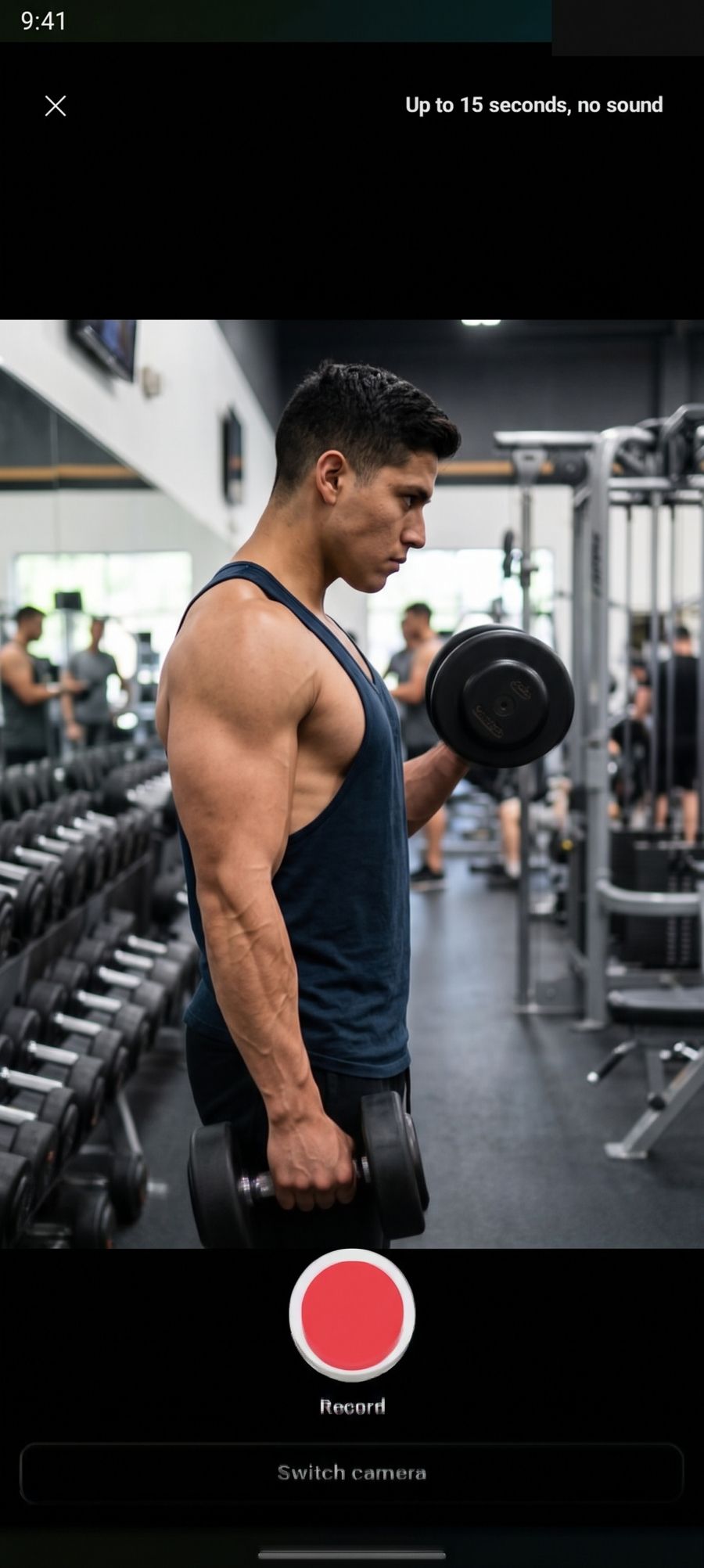
Record yourself, or your coach, doing an exercise. The video stays next to that exercise in all your routines so you can check your technique whenever you like.
Clips up to 15 seconds in 4:3, without sound
Saved only on your phone: never uploaded to a server
Include them when you share a routine, only if you choose to
Watch and delete them from your profile
AI Coach AI PRO
A complete plan designed for you
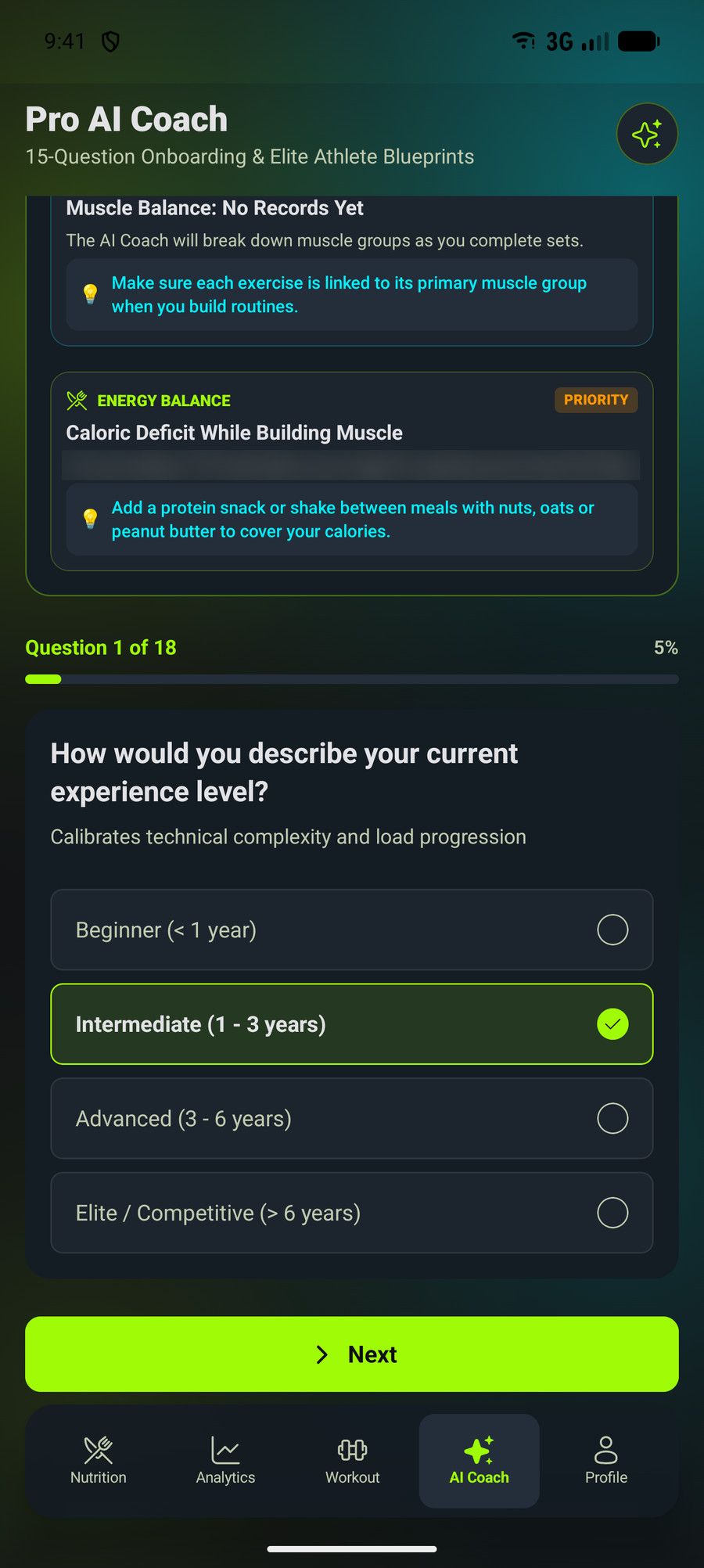
The AI Coach has three sections: Routine, Nutrition and AI Recommendations. It generates each part separately and in your language: your training week based on your level, equipment, days and injuries, and your menus for one day or the whole week based on your goal and tastes.
Styles inspired by classic bodybuilding, high-intensity training, powerlifting, Hyrox, CrossFit or a custom hybrid
Menus with your favourite cuisine, preferred ingredients, a daily calorie limit and your protein powder macros
Tweak the routine or the menu with a short request, such as "fewer days, more legs"
Review the plan before adopting it: the routine goes on the days you train and the menus on the day or week you choose
Recommendations on overload, rest and nutrition based on your logs
Up to 6 AI generations or tweaks a day, separately for training and nutrition
Nutrition
Your meal plan, without spreadsheets
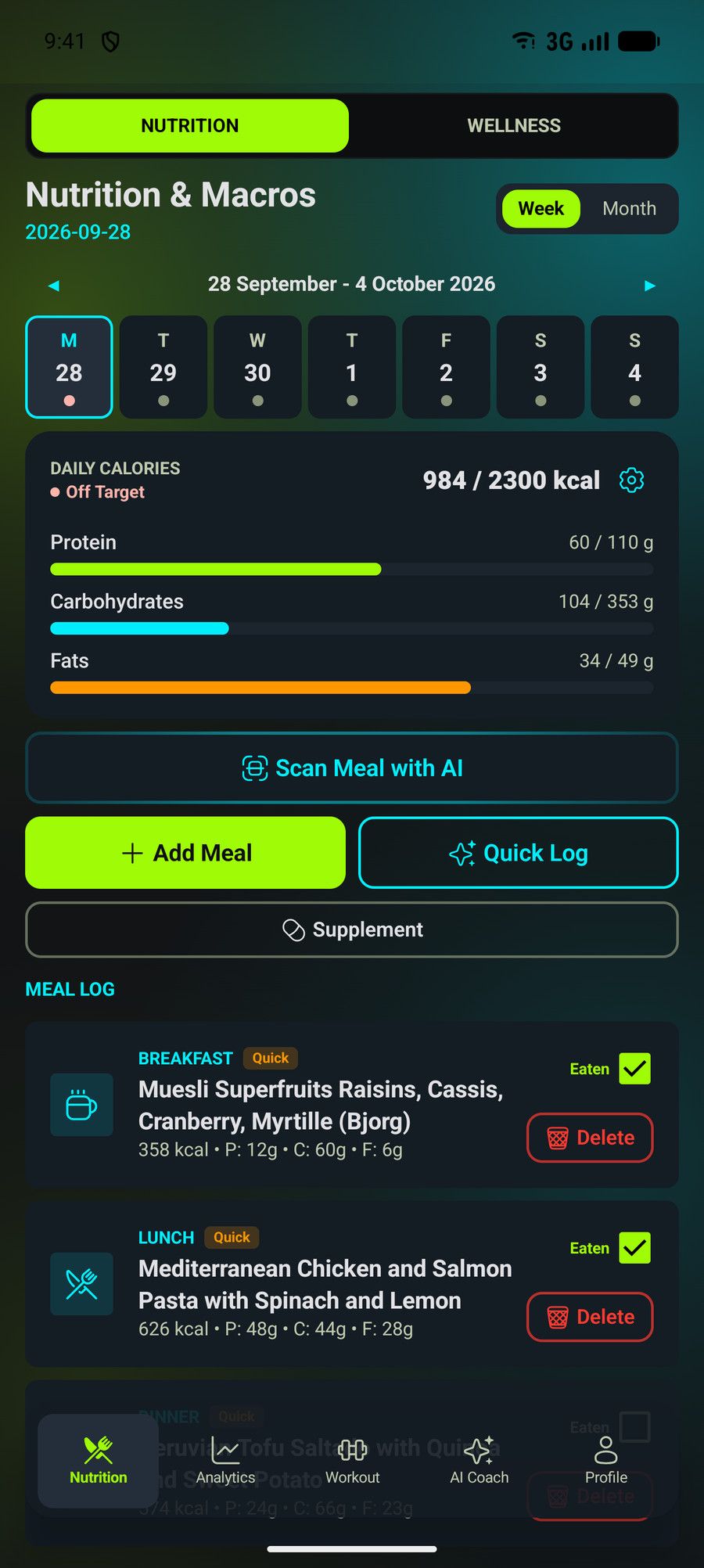
Organize the day into eight moments: breakfast, morning snack, lunch, afternoon snack, pre- and post-workout, dinner and late-night snack. Each meal shows its calories and macros, and you tick it off when you eat it.
Weekly and monthly calendar with daily compliance
Repeat a meal for up to three months with one tap
Reminders at each meal time
Weight goal with calorie balance (Mifflin-St Jeor), a 7-day moving-average trend and an estimated date
Photo estimator AI
Snap your plate, get its macros
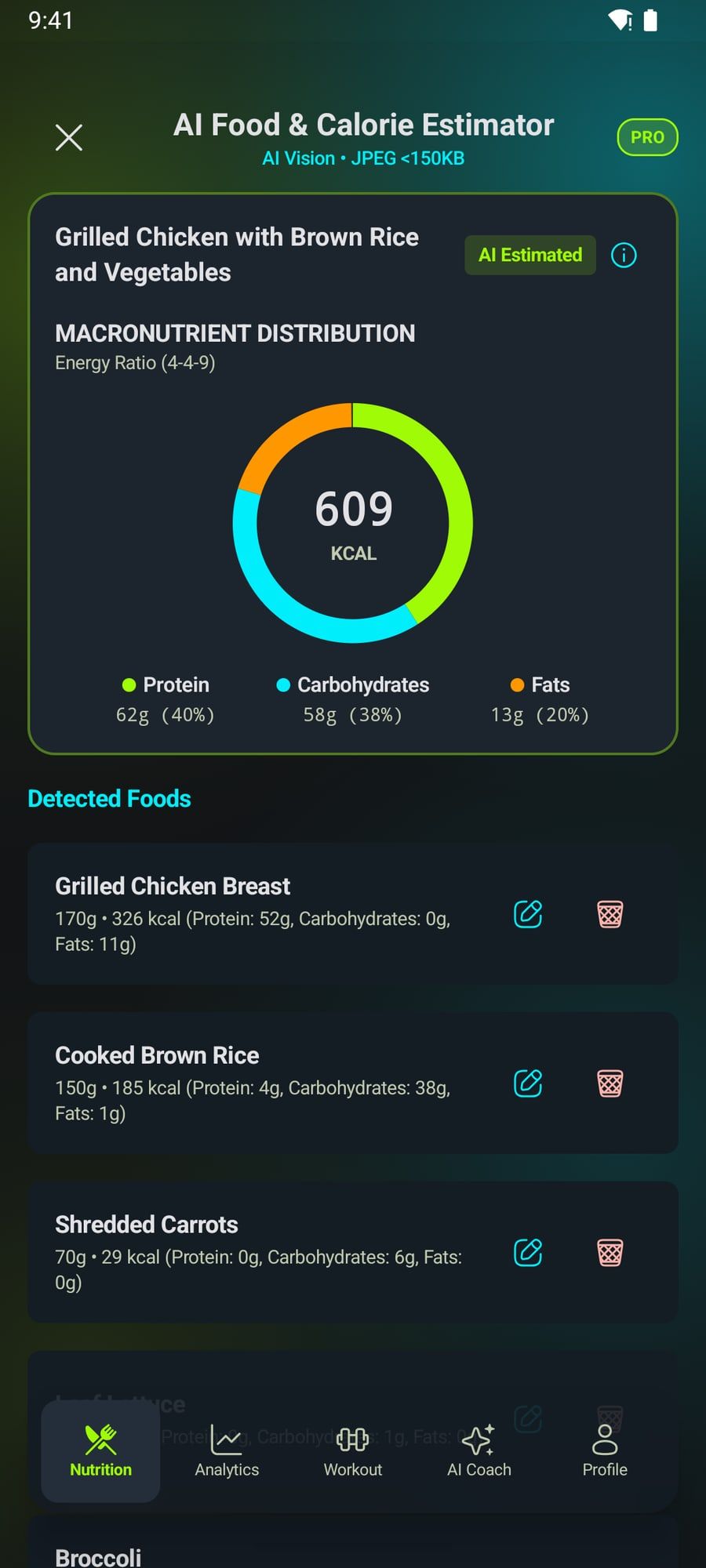
Take a photo or pick one from your gallery and the AI recognizes each food and estimates calories, protein, carbs and fat in seconds. See the macro split of the plate, adjust the portions and save it to your log.
A chart with the protein, carb and fat split of the plate
The photo is compressed on your phone before it is sent and is never stored
FREE: up to 10 a day, each unlocked by an ad
PRO: up to 30 a day, no ads
Wellness
Fasting and hydration, under control
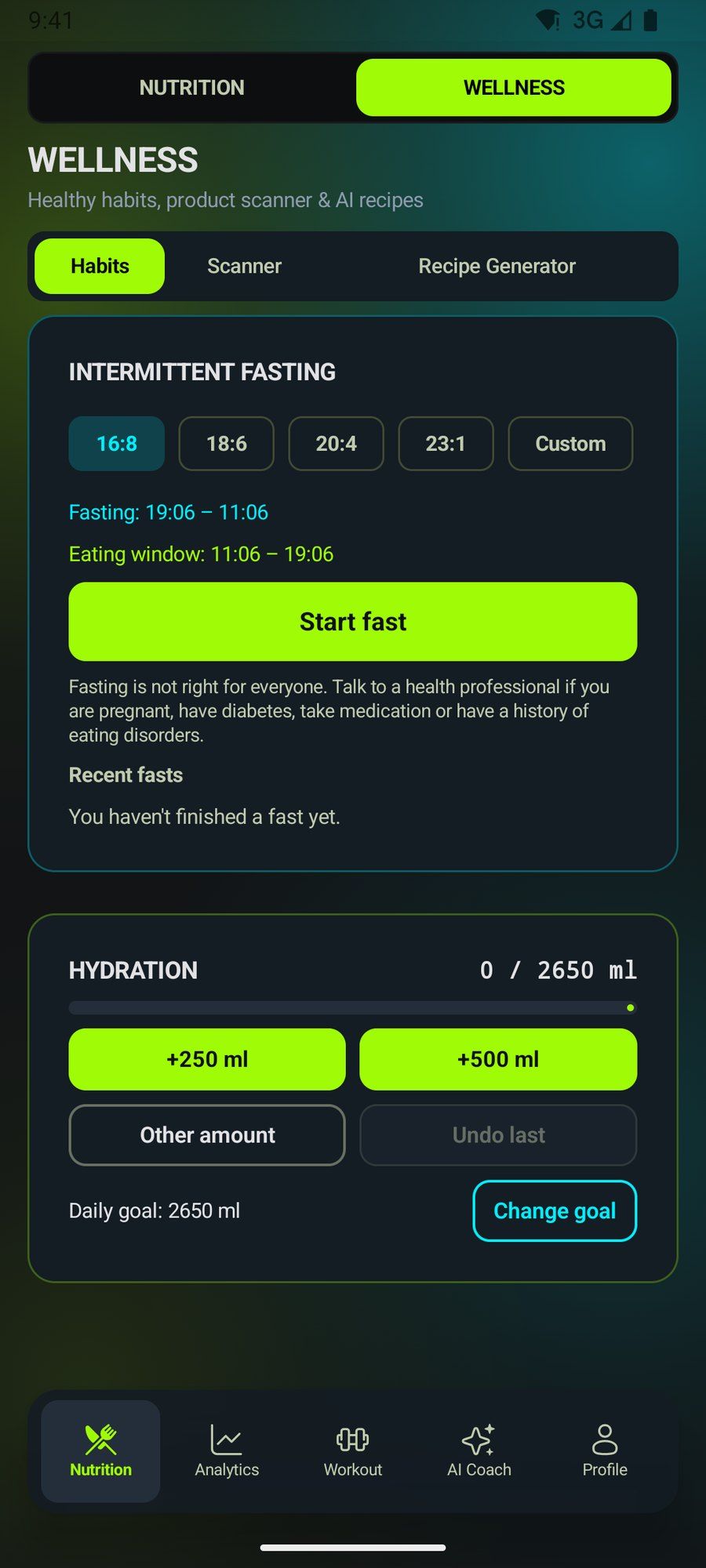
The Wellness section keeps your daily habits next to the scanner and the recipe generator: the intermittent fasting timer and your water log.
Fasting 16:8, 18:6, 20:4, 23:1 or custom from 12 to 72 hours
Fasting and eating windows worked out when you start, with the time left in view
Water goal of 35 ml per kg, with 250 and 500 ml quick-add buttons
Product scanner
Scan before you buy, and eat better
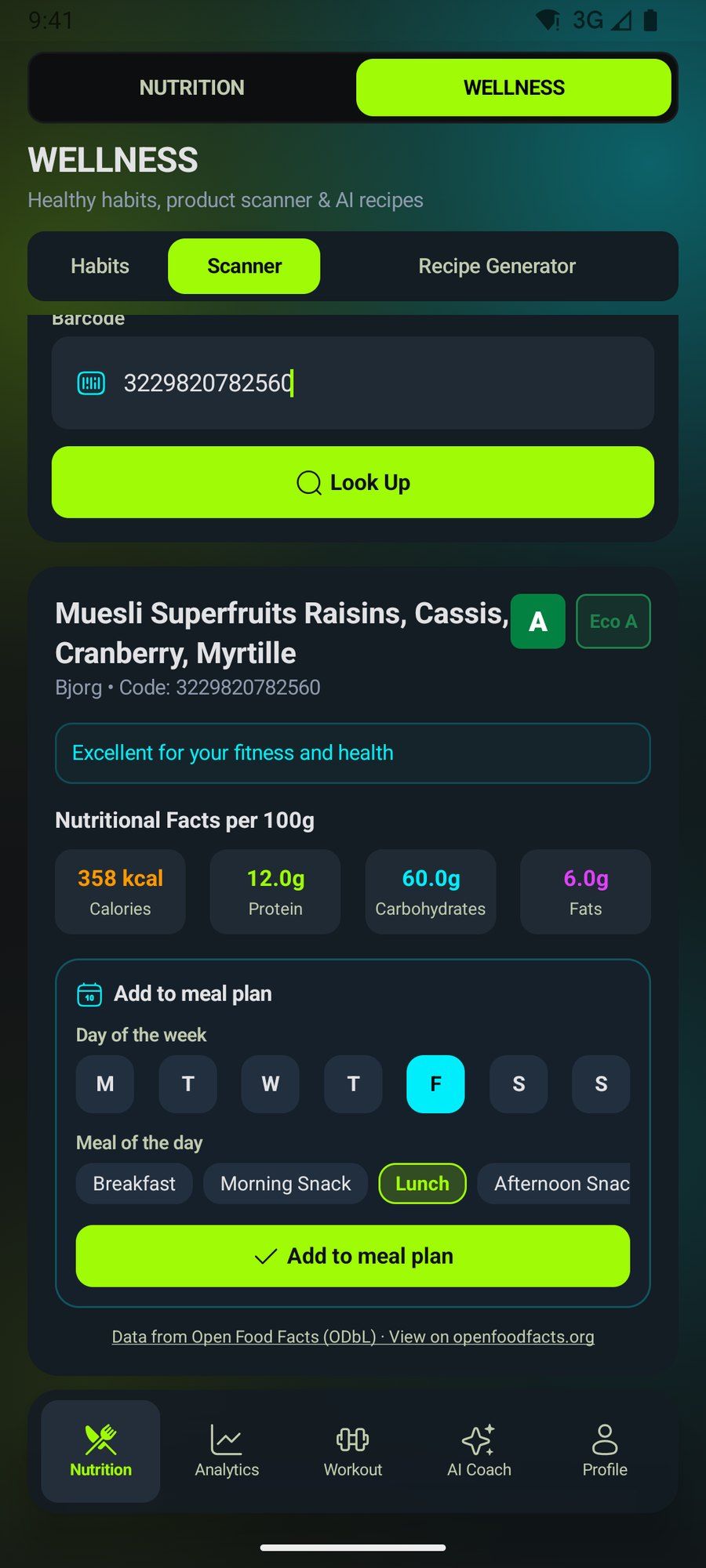
At the supermarket, point the camera at the barcode and check in seconds whether that product fits your goal. TraininGo looks it up in Open Food Facts and shows its Nutri-Score, Eco-Score and values per 100 g, with a clear verdict: excellent for your fitness, in moderation, or occasional.
Compare products in the aisle and spot the ones high in sugar, fat or salt before they go in the cart
Add it to your meal plan on the day and meal you choose; it repeats on that day every week for three months
Camera on Android and iPhone, or type the code by hand
Data from Open Food Facts, the open food database (needs a connection)
Recipe generator AI
Recipes from what is in your fridge
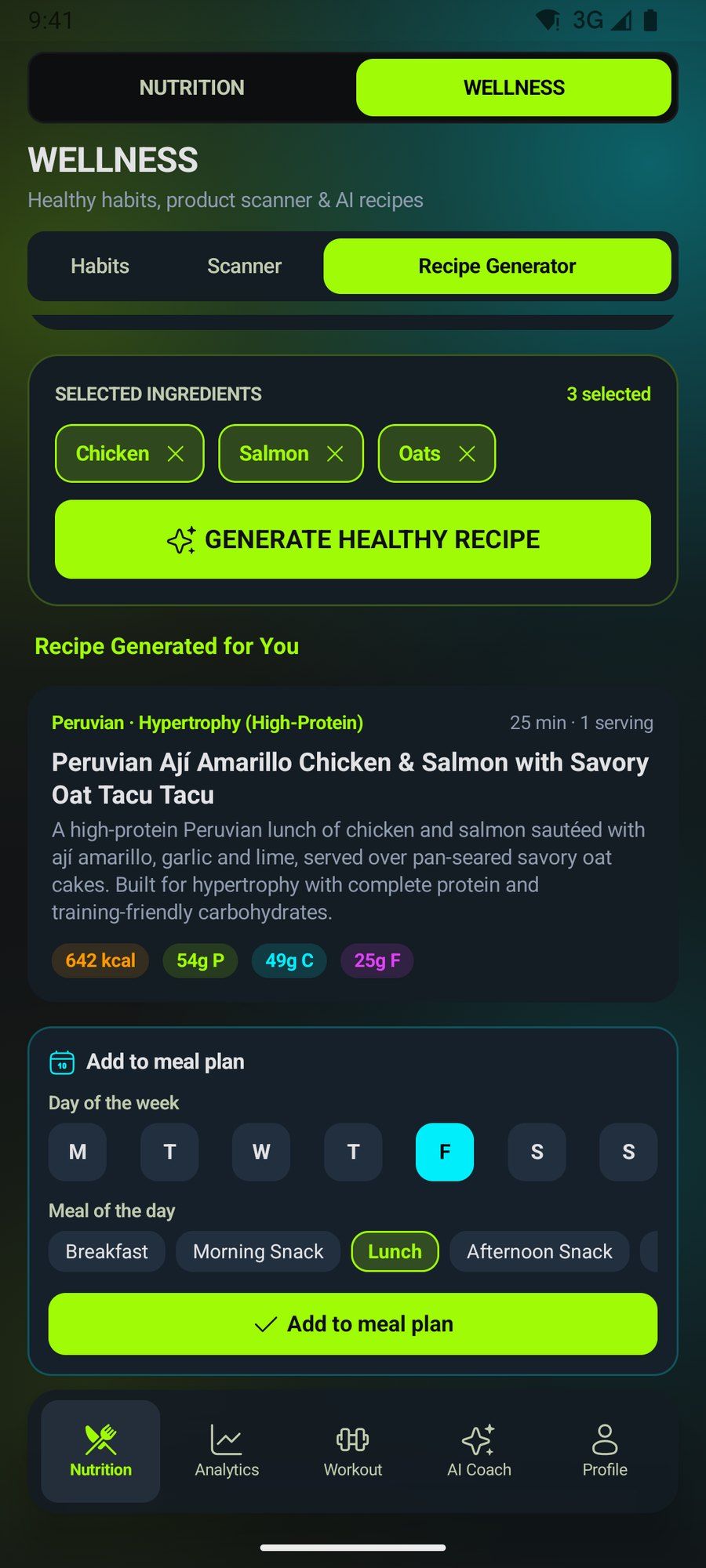
Enter up to 15 ingredients, your goal, the meal type, the cuisine you fancy and a calorie cap, and the AI suggests a recipe with steps and macros. Add it to your meal plan with one tap.
Meal type: breakfast, snacks, lunch, pre- or post-workout, dinner
Calorie cap between 150 and 2,500 kcal
FREE: 5 recipes a day with an ad · PRO: 10 a day, no ads
Analytics
Your progress, sorted into sections
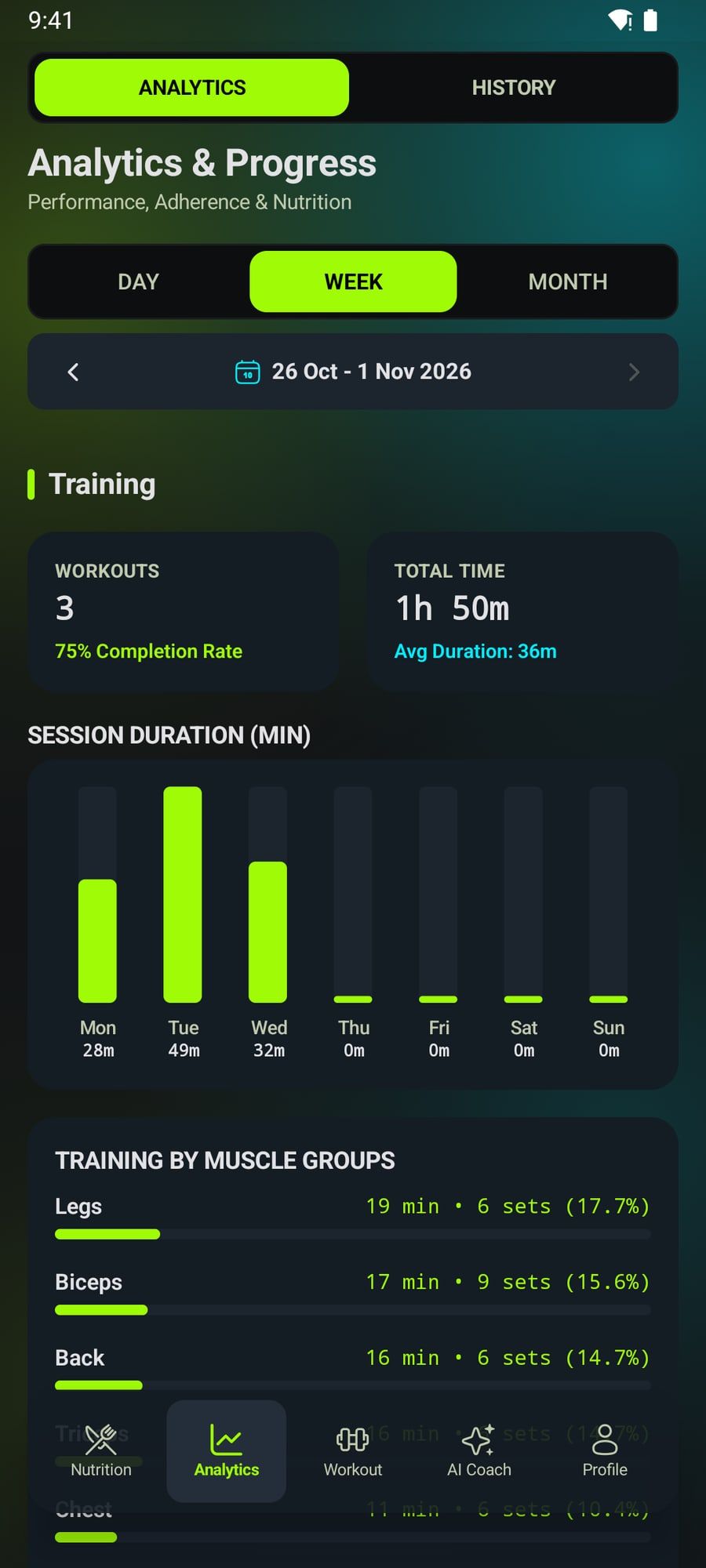
See your metrics by day, week or month, grouped into three sections: training, nutrition, and energy balance and weight. And review the history of every session.
Training: sessions, duration, muscle groups and rest discipline
Nutrition: calories against your target and macro split
Energy balance and weight: calorie balance and your weight trend toward your goal
Profile
Streaks that forgive a bad day
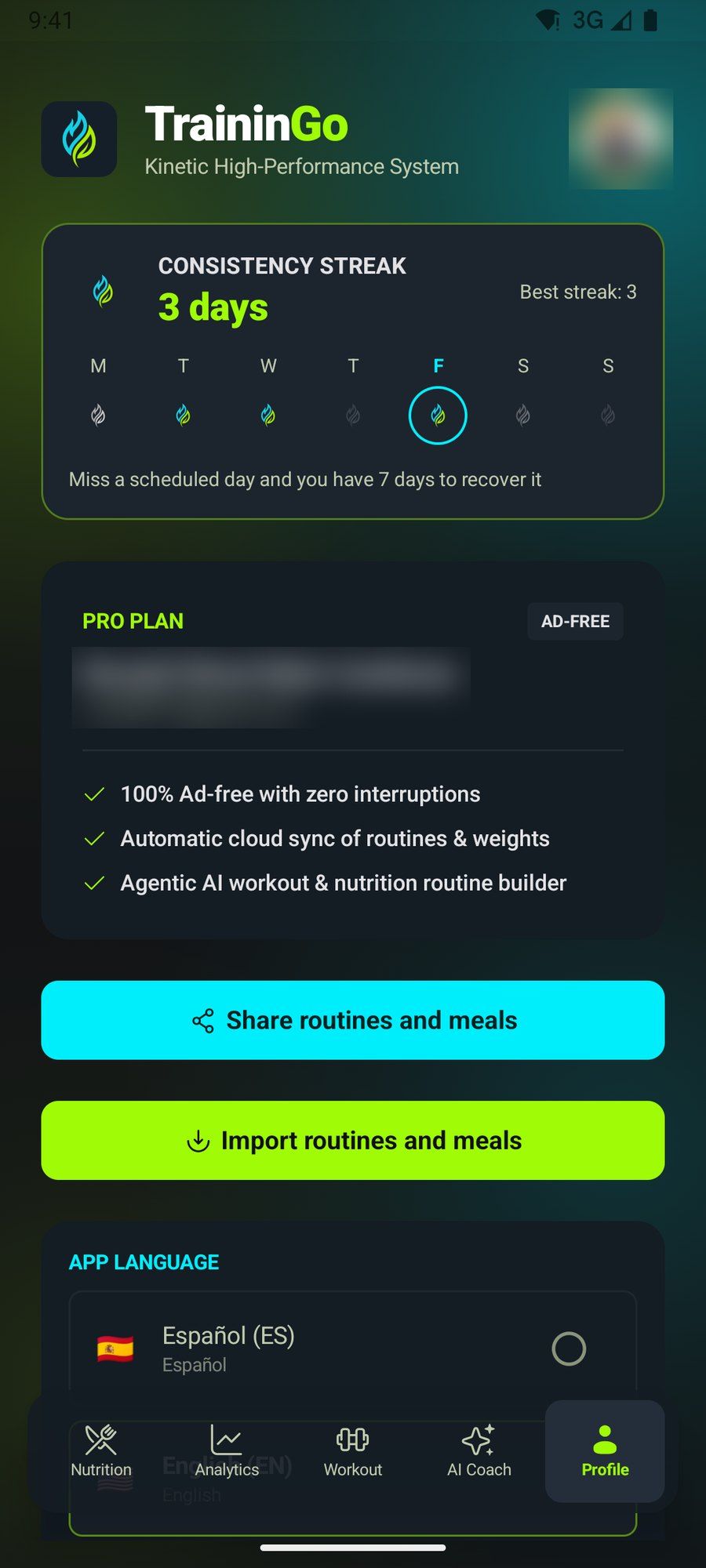
Only days with a scheduled workout count. Miss one and you still have time to recover it: 1 day on FREE and 7 on PRO.
Your current and best streak, in view on your profile
Share and import your plan in one tap
Switch language instantly: Spanish, English or Portuguese
Share and import
Share your plan with the people you train with
Send your routines and meal plan to anyone you like: anyone with TraininGo can import them in seconds. Protect it with a password and only the people you give it to can add it, and they can’t share it again.
How it works
1
Choose what to share
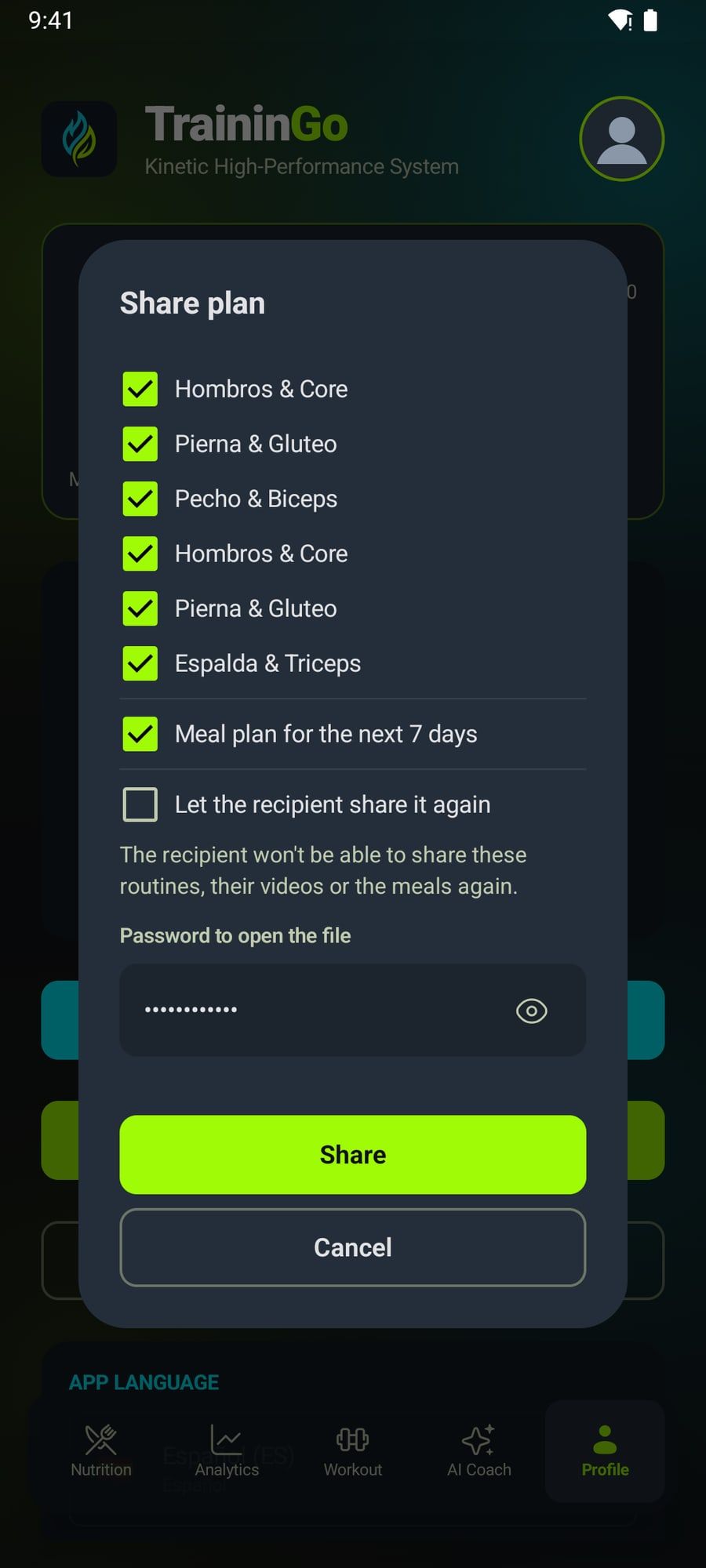
In Profile › Share routines and meals, or from the routine library, tick the routines and, if you like, the meal plan for the next 7 days.
2
Protect it with a password
By default the recipient can’t share it again: you set a password of at least 6 characters and send it separately. If you’d rather let them pass it on, tick «Let the recipient share it again».
3
Send it any way you like
TraininGo creates an encrypted file that only the app opens and brings up your phone’s share menu: WhatsApp, AirDrop, Quick Share, email or Drive.
4
Open and import it
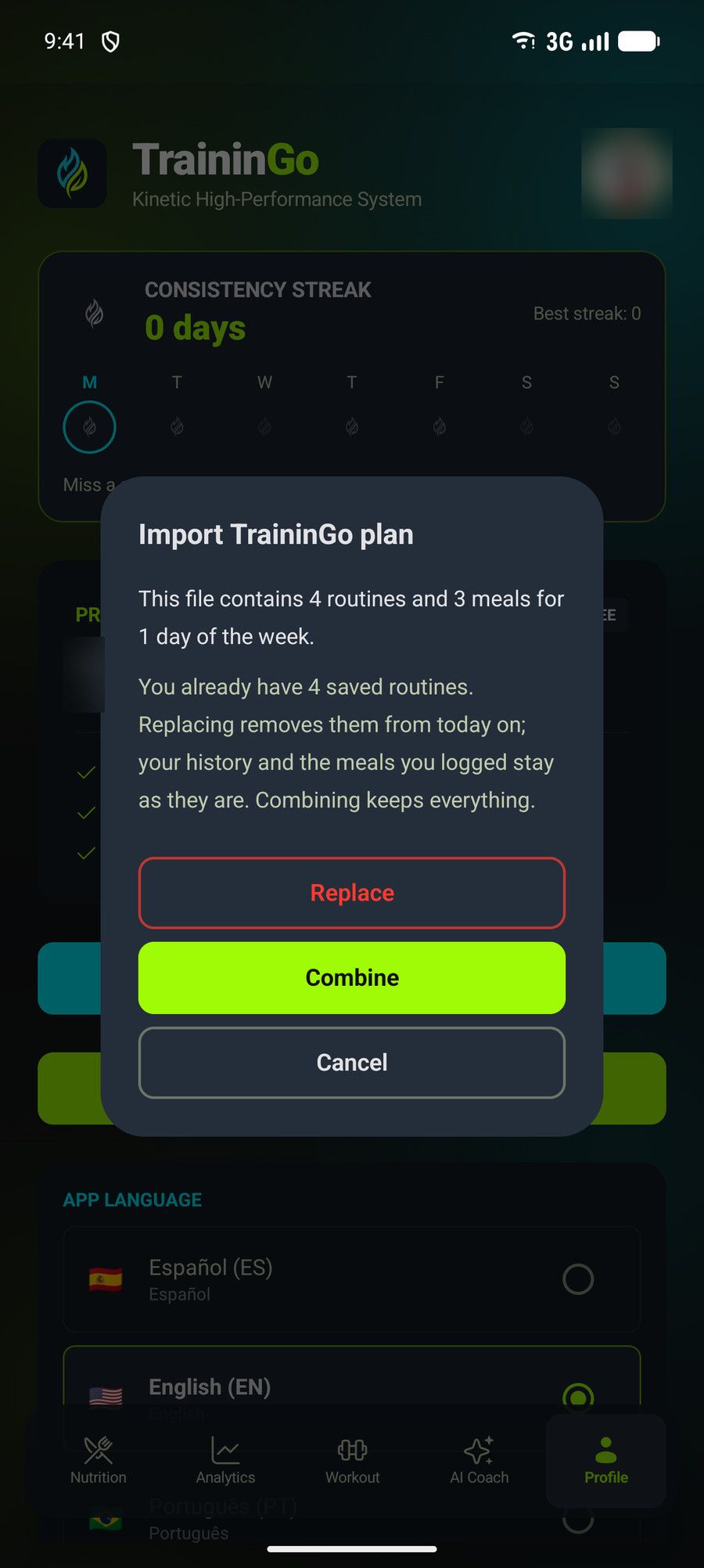
The recipient opens it with TraininGo, types the password and sees a summary. Combine adds it to their plan; Replace swaps their routines and planned meals, without touching their history.
Why it helps
Train as a team
Your partner, friends or group follow exactly the same routine, with the same sets, loads and rests.
For coaches
Build a plan once and send it to every client; imported meals repeat every week for about three months.
Your backup
Keep the file in your cloud or email and restore your plan on a new phone, on the FREE plan too.
You decide who uses it
With a password, only people who know it can import it, and what they receive is locked so it can’t be forwarded. The file is encrypted and checked before importing.
Privacy
Your data lives on your phone
TraininGo is local-first: it works offline and keeps your data in a database on your device. Cloud sync is optional and PRO-only.
Delete your account anytime
From Profile you delete your account and all your data, on the server and on your phone.
Offline
Train and log meals without internet; only AI needs a connection.
Photos are not kept
Estimator images are analyzed and discarded.
Optional cloud
On PRO, your routines and logs sync encrypted in transit.
Plans
Start free. Go PRO whenever you like
FREE
Everything essential to train and eat better
PRO
The complete experience, with AI and no ads
LAUNCH PRICE · 50% OFF
$119.99 / yr
$59.99 / yr
billed once a year
$11.99 or $5.99 / mo
For a limited time, every plan costs 50% less. Regular price: $11.99 per month or $119.99 per year.
Up to 60% cheaper than other popular training or nutrition apps, which don't give you everything TraininGo includes.*
*Compared with the monthly prices published in the US by popular training and nutrition apps in October 2026.
Reference prices in USD. Google Play or the App Store shows the final price and taxes for your country.
Feature
FREE
PRO
Timer, routines and analytics
Included
Included
Meal plan, fasting, water and barcode scanner
Included
Included
AI photo calorie estimator
†Included
†Included
AI recipe generator
†Included
†Included
AI Coach: weekly routines and menus
Not included
Included
Encrypted cloud sync
Not included
Included
Ads
Yes
Ad-free
Time to recover your streak
1 day
7 days
† Limited use on FREE and high use on PRO.
FAQ
Frequently asked questions
What does AI do in TraininGo? +
It generates your training plan and weekly menus (AI Coach, PRO), estimates calories and macros from a photo of your plate and creates recipes from your ingredients. Photos are not kept and your data is not used to train models.
Do I need PRO to share or import a plan? +
No. Sharing and importing routines and meals works on every plan, and the file is created on your phone without going through our servers.
Can I stop people from forwarding my routine? +
Yes. When you share, leave «Let the recipient share it again» unticked and set a password. Only people who know it can import the routine, and the app won’t let them share it again. The password isn’t stored anywhere: if it’s forgotten, the file can’t be opened.
Is TraininGo free? +
Yes. The FREE plan includes the timer, routines, meal plan, fasting, hydration, barcode scanner and analytics. AI photo and recipe features unlock by watching an ad. PRO removes ads and adds the AI Coach, cloud sync and higher quotas.
Do I need an internet connection? +
Not to train or log meals: everything works offline. Only AI features, the barcode scanner, PRO sync and sign-in need a connection.
Which devices does it run on? +
Android phones and iPhone. You can sign in with Google on both, and with Apple on iPhone.
What happens to my food photos? +
They are compressed on your phone, sent encrypted for analysis and then discarded. TraininGo does not keep them.
Where does scanned product data come from? +
From Open Food Facts, an open, collaborative food database licensed under the ODbL.
Can I cancel PRO at any time? +
Yes. Your subscription is managed in Google Play or the App Store, and you can cancel it there at any time.
 Google Play
 App Store